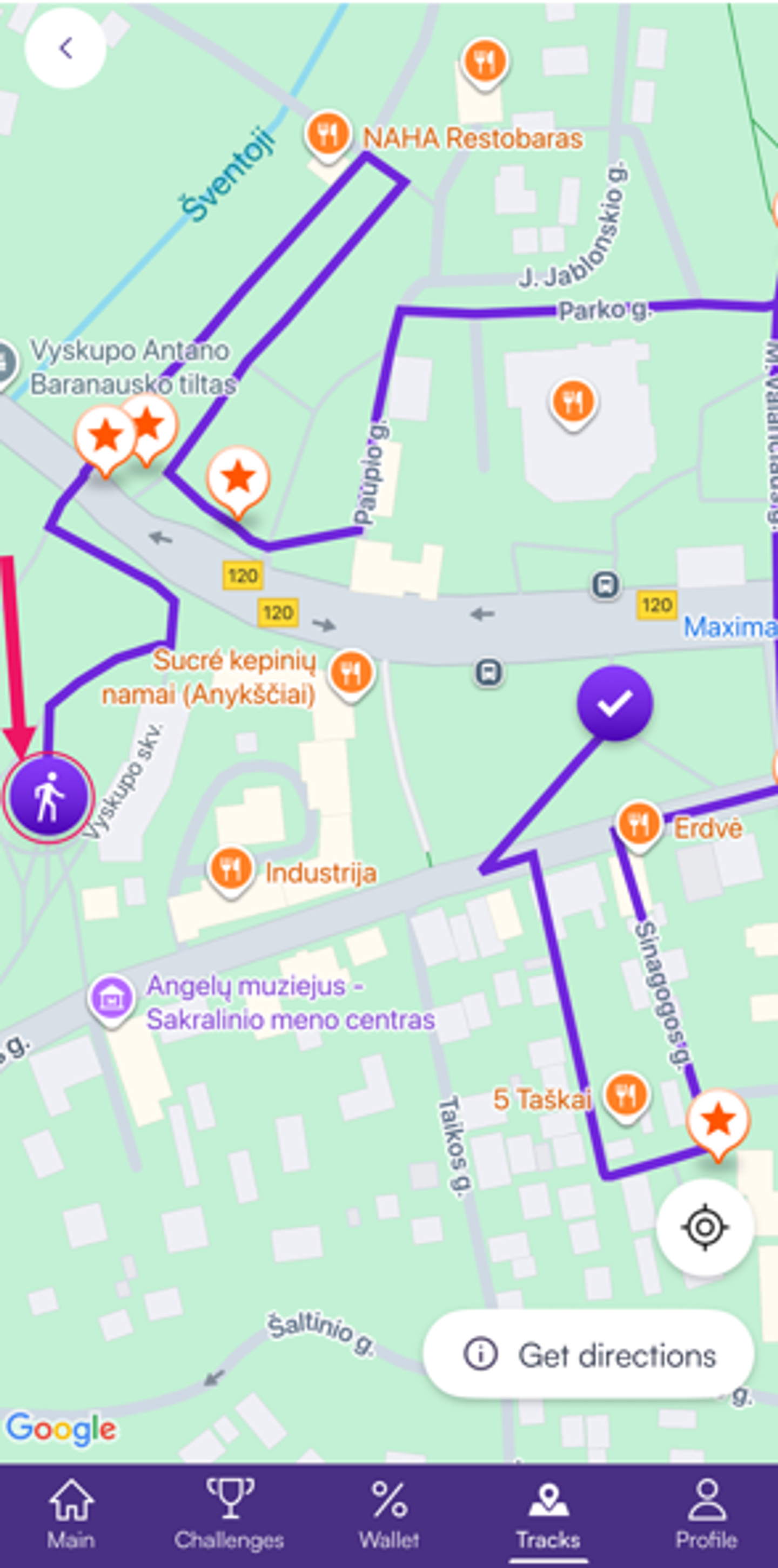
How to find and use tracks in Walk15?
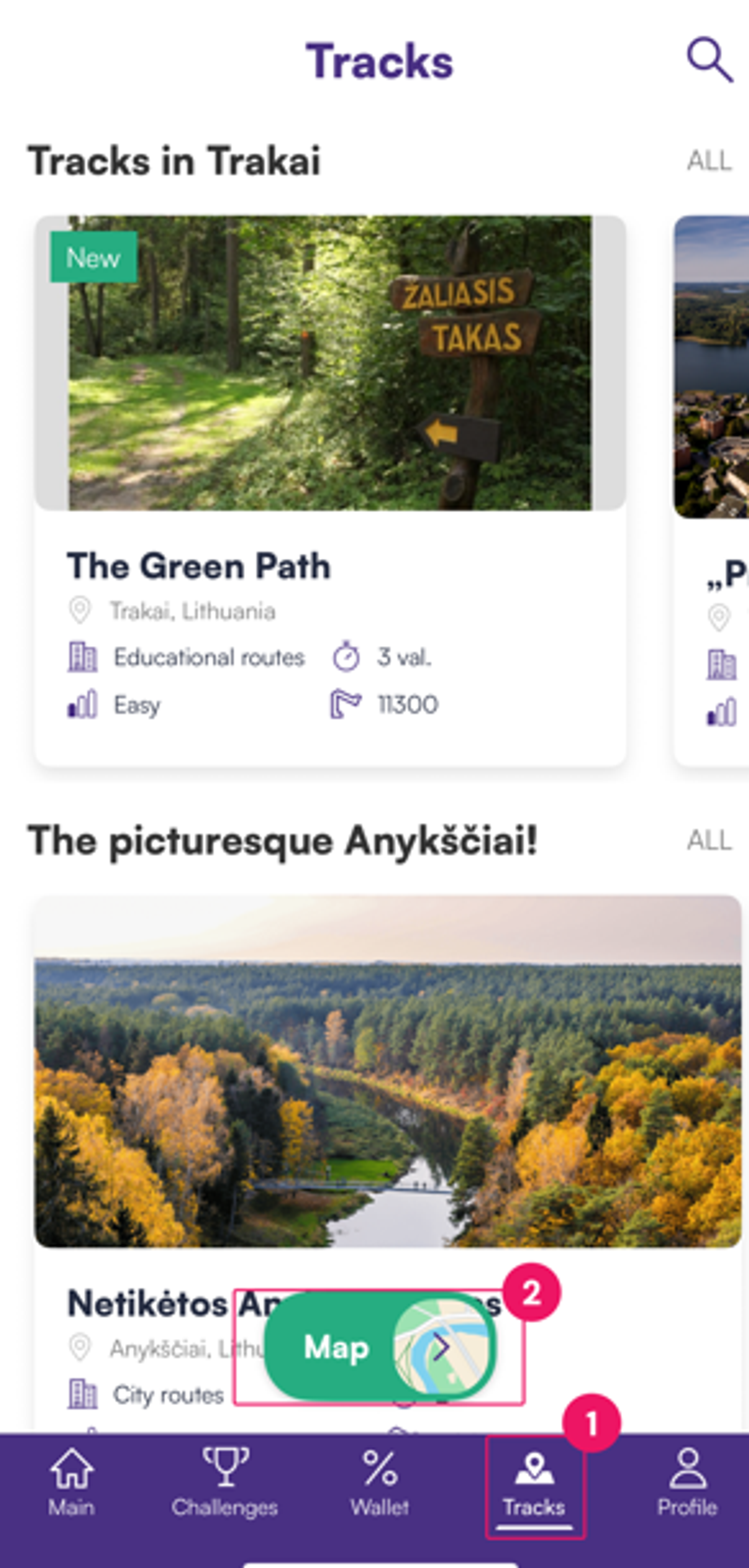
- Navigate to Tracks and tap the Maps icon at the bottom of your screen to open the tracks:
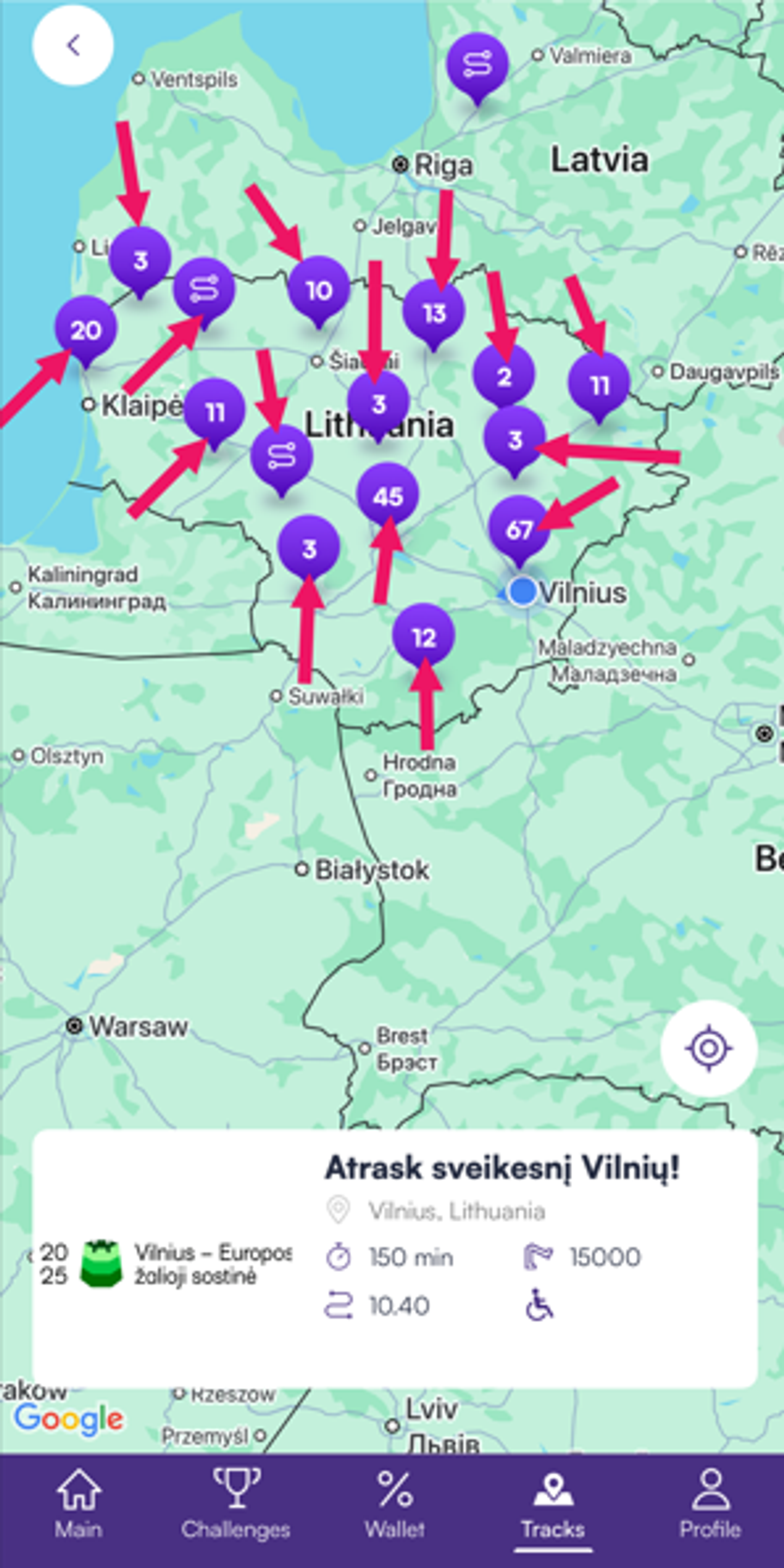
2. You’ll see numbered purple pins on the map—these show how many tracks are available in each location. Tap on a purple pin to view track options for that area:
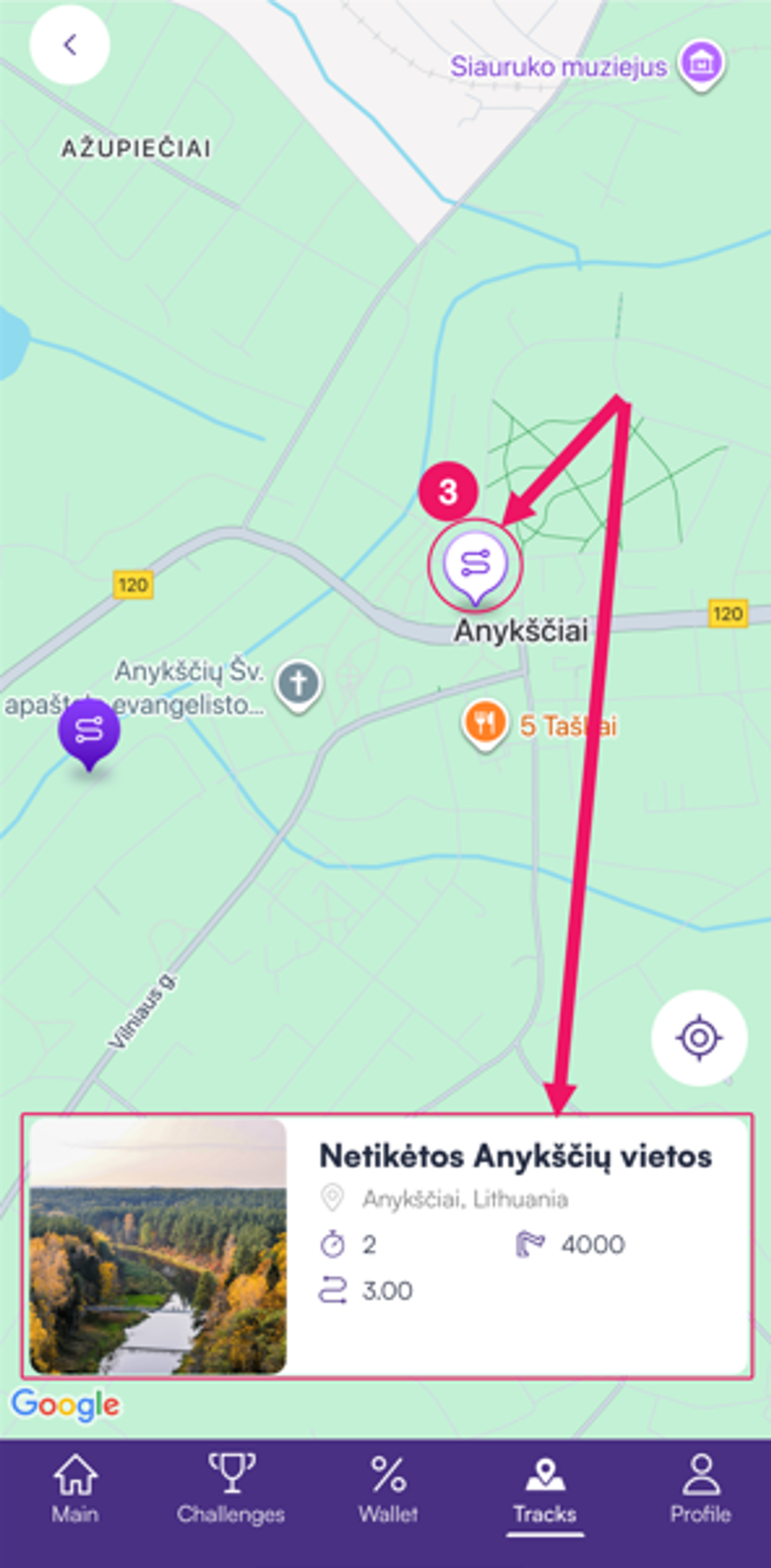
3. After tapping a purple pin, click the purple track icon to read a brief summary about the track. Tap the name or preview of the track that catches your interest. Open the route and view it in more detail:
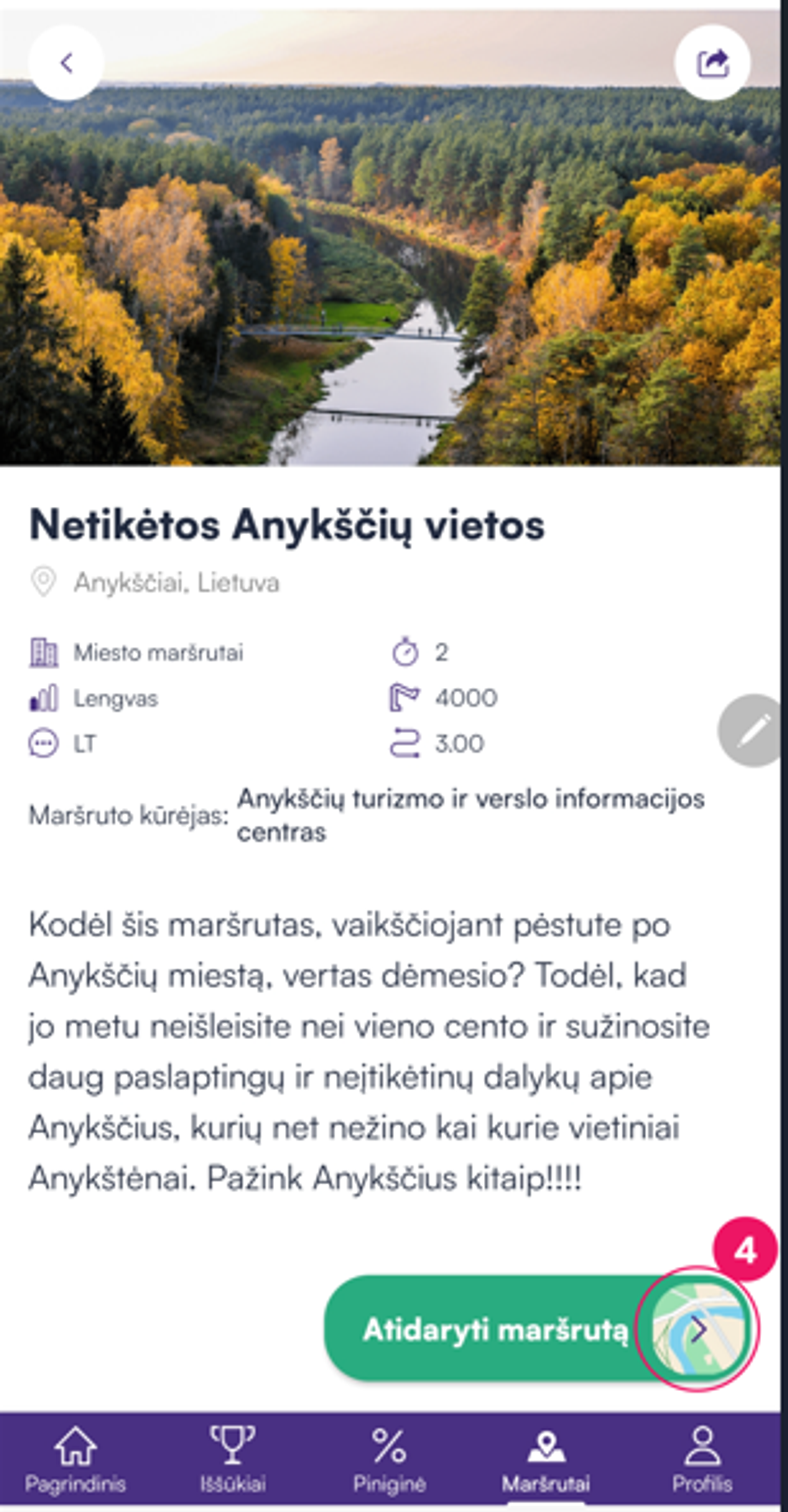
4. Tap the Open track:
5. Tap the Start icon to begin the track from your current location.
As you move along the track, tap the Info icon to read or listen to fascinating stories and fun facts about objects and landmarks along the way: