How do I update or change my personal information in the app?
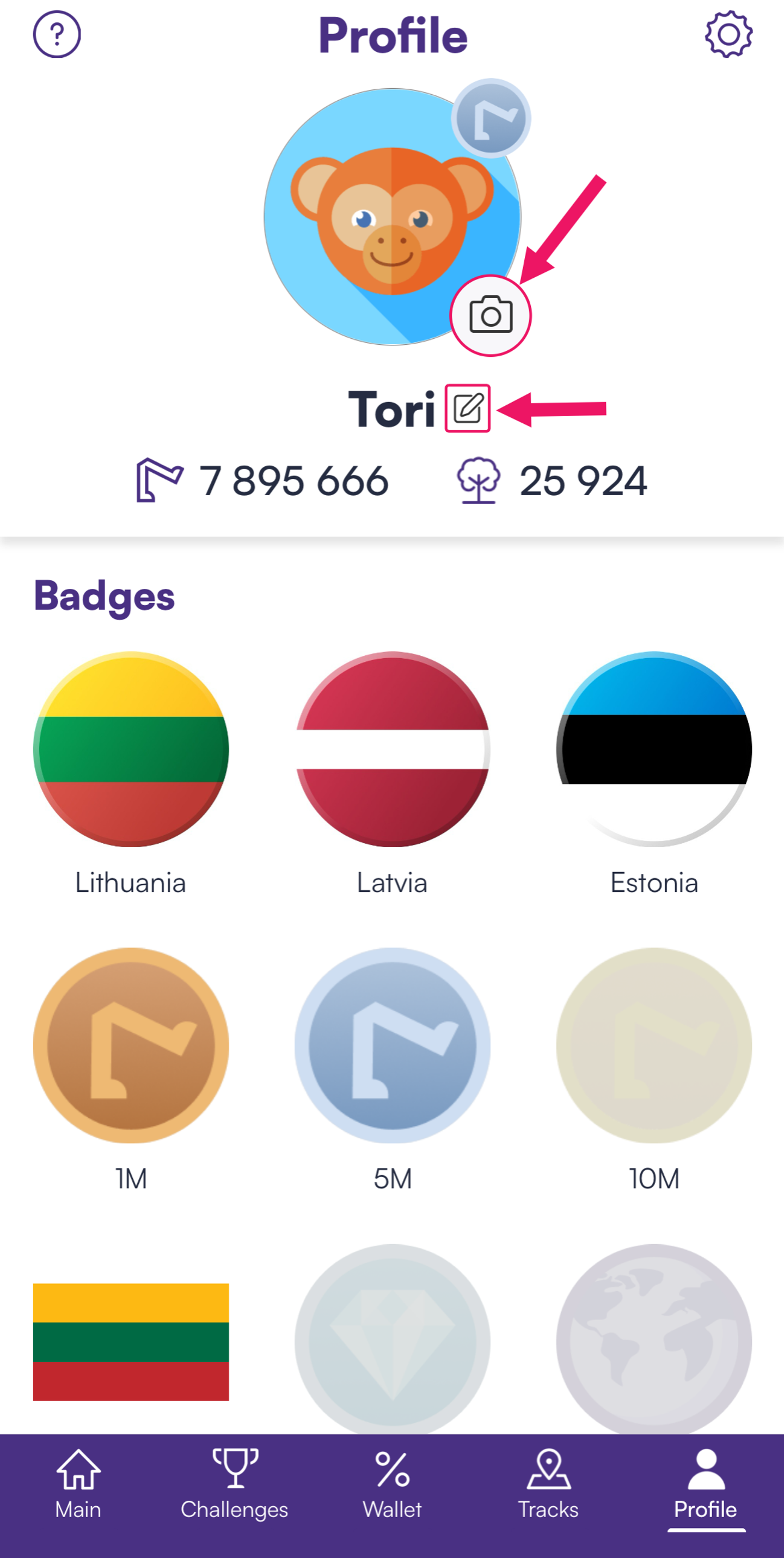
You can update your name and profile photo or remove the badge in the Profile section of the app.
📌 Steps to update your name or profile photo:
1️⃣ Open the Walk15 app.
2️⃣ Go to Profile.
3️⃣ Tap on your profile picture or name to edit:
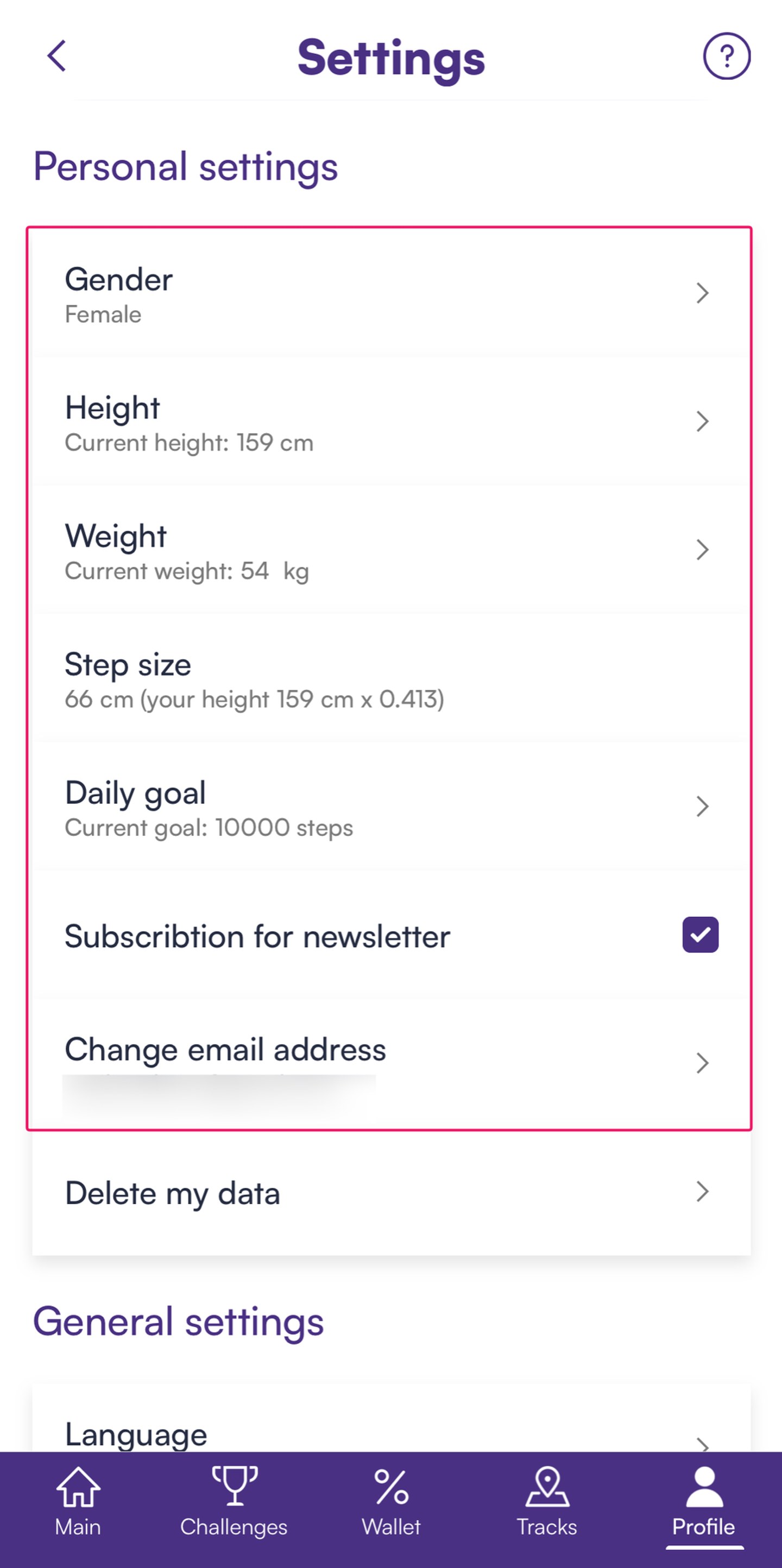
To update personal details like your email address, go to Settings in the Profile section (top right corner).
📌 Steps to update your email address or other personal details:
1️⃣ Open the Walk15 app.
2️⃣ Go to Profile.
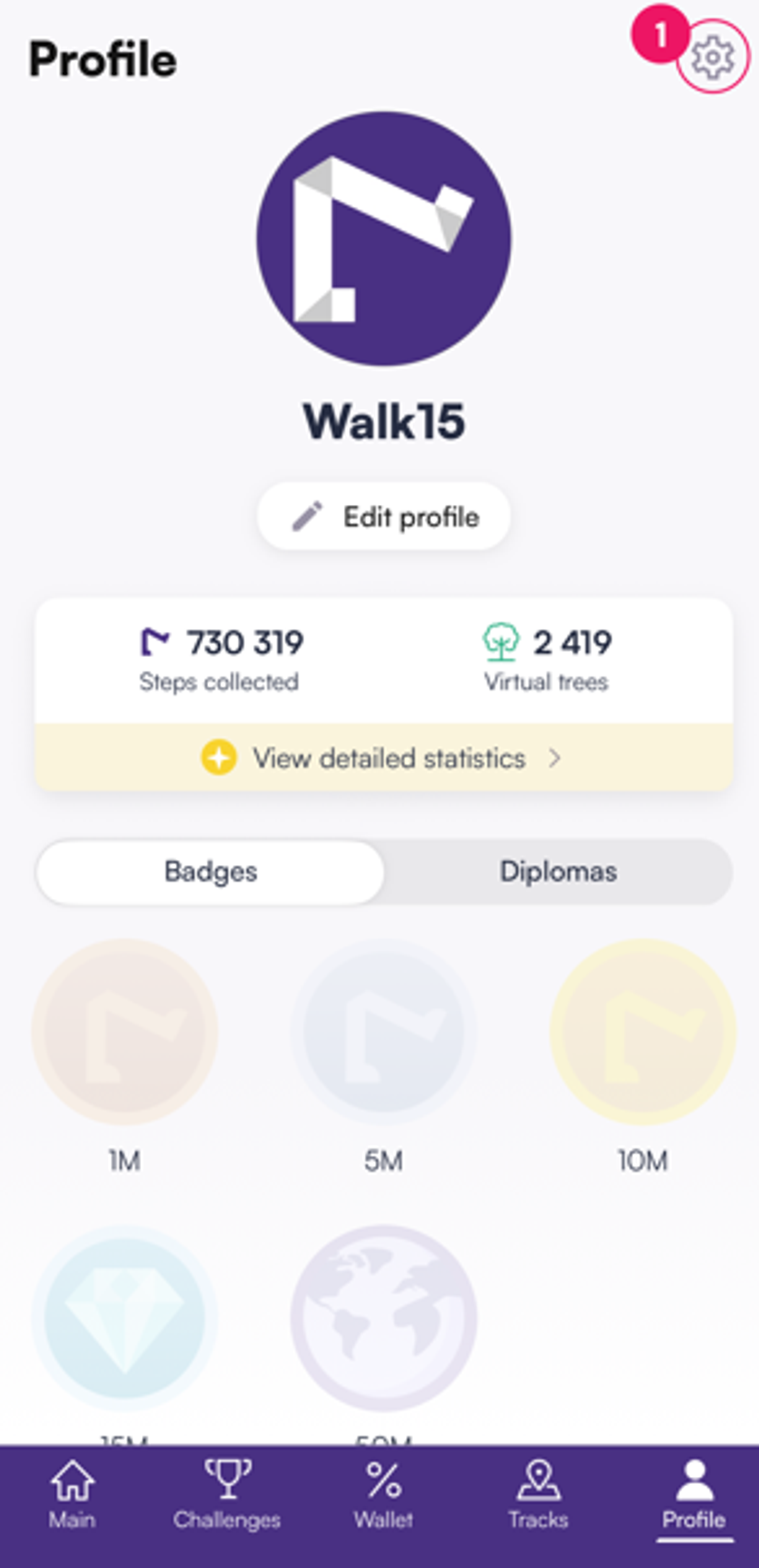
3️⃣ Tap on Settings (top right corner):
4️⃣ Select the information you want to change: